
Why Building a Data Warehouse Matters
A data warehouse is not just a technical project; it’s a strategic business investment. At its core, a data warehouse is a central repository for integrated data from one or more disparate sources. It’s designed specifically for analytics and reporting, enabling a holistic view of your business. However, data warehouses are also often used for reverse ETL.
While out-of-the-box BI platforms can provide quick wins, building your own data warehouse gives you full control over architecture, scalability, and integration. This ensures the solution fits your business’s unique needs and long-term goals.
Building a data warehouse matters because it:
- Unifies your data: Brings together information from your ERP, CRM, marketing platforms, and more into a single source of truth.
- Empowers decision-making: Provides the foundation for powerful dashboards and reports, enabling everyone from analysts to executives to make informed decisions quickly.
- Boosts ROI: A well-implemented data warehouse can dramatically reduce the time spent on manual reporting. For example, iovation implemented Snowflake’s cloud data warehouse, achieving a 214% ROI, with cost benefits of nearly $300K per year and payback in just six months.
- Fosters a data-driven culture: When data is accessible, trustworthy, and easy to use, it encourages a company-wide culture of curiosity and data-informed action.
What Is a Data Warehouse?
A data warehouse is a large-scale system optimized for storing and querying vast amounts of historical data. To understand what it is, it’s helpful to know what it isn’t and where it fits in today’s evolving architecture.
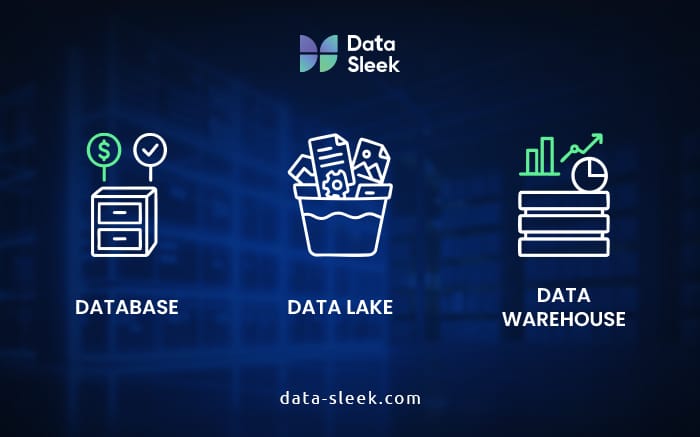
- Database vs. Data Warehouse: A traditional database is designed for real-time transactions (e.g., adding a customer record or processing an order). A data warehouse, by contrast, is optimized for complex queries across large datasets, making it ideal for business intelligence (BI) and analytics.
- Data Lake vs. Data Warehouse: A data lake stores raw, unfiltered data. It offers flexibility but often requires technical expertise to navigate, while a data warehouse contains structured, cleaned, and processed data, making it ready for business users and BI tools.
- Data Mart vs. Data Warehouse: A data mart is a subset of a data warehouse, designed for a specific department or business function (e.g., sales).
In many modern organizations, the data warehouse serves as the storage and query layer of the modern data stack, a modular set of tools for data ingestion, transformation, storage, and analysis.
Modern data stacks differ from legacy systems by offering faster deployment, lower upfront costs through pay-as-you-go models, and the flexibility to choose best-in-class tools for each layer. While this reduces lock-in within individual layers, choosing a specific cloud provider can still create dependencies. This flexibility still enables teams to adapt more quickly as needs evolve.
Key Components of a Data Warehouse
A data warehouse is a system, not a single tool. It is made up of interconnected layers, from capturing raw data to transforming it into insights, that work together to store, manage, and deliver information for analysis.

Data Sources
Every warehouse starts with data sources, which are the origins of the information it will store and process. Common sources include:
- Transactional Systems: ERP (Enterprise Resource Planning), CRM (Customer Relationship Management) platforms like Salesforce, and e-commerce platforms like Shopify.
- SaaS Applications: Marketing platforms, support ticketing systems, HR software, accounting, and more.
- Web and Mobile Data: User activity from your websites and apps.
- Operational Data: Spreadsheets, log files, and legacy databases.
Example: Companies that consolidate diverse operational, CRM, SaaS, and web data into a centralized system can reduce reporting cycle time by 75% and cut reporting costs by 60%, while achieving 95% data completeness compared to manual reporting workflows.
ETL/ELT Pipelines
The core engine of a data warehouse is the ETL (Extract, Transform, Load) or ELT (Extract, Load, Transform) pipeline. This process takes data from its source, cleans and structures it, and loads it into the warehouse.
- ETL transforms the data before it’s loaded into the warehouse. This is a traditional approach that works well for structured data.
- ELT loads the raw data first and then transforms it inside the warehouse. This has become the standard for modern data warehouses, as it leverages the immense processing power of cloud-based data warehouses. Tools like dbt, Fivetran, and Airbyte are used to build and manage these pipelines.
Example: Organizations using automated data pipeline platforms report a 75% reduction in time-to-insight, with developers spending up to 80% less time building pipelines, while also cutting tool costs by up to 65%.
Data Storage
This is where your data resides. The modern approach heavily favors cloud-based solutions over on-premise servers.
- Cloud-based: Platforms like Snowflake, Google BigQuery, and Amazon Redshift offer incredible scalability, high performance, and managed infrastructure, reducing the burden on your internal IT team.
- On-premise: While less common for new projects, on-premise solutions offer greater control but require significant capital investment and ongoing maintenance.
Example: Gartner forecasts that worldwide public cloud spending will rise from $595.7 billion in 2024 to $723.4 billion in 2025, a growth exceeding 20%, reflecting the continued shift from on-premise to scalable, lower-maintenance cloud platforms like Snowflake, BigQuery, and Redshift.
Metadata & Data Cataloging
Metadata is data about your data. It provides critical context, such as schema definitions, data lineage (where the data came from), and ownership. A data catalog serves as a searchable inventory, making it easier for users to find and understand the data they need. Without good metadata, your warehouse becomes a “data swamp.”
Example: Nearly 40% of data professionals report that they spend more than 20 hours a week accessing, blending, and preparing data, which significantly delays actual analysis and insights.
Business Intelligence (BI) Layer
This is the final component—the user interface. BI tools like Looker, Tableau, and Sigma connect to your data warehouse to create dashboards, reports, and visualizations that drive business insights.
Example: Successful self-service BI implementations lead to a 60–80% reduction in report request volume to centralized BI teams, enabling faster decision-making and better alignment across business units. According to Gartner, self-service adoption dramatically cuts this volume, freeing central teams to focus on strategic and complex analytics.
How to Build a Data Warehouse: Step-by-Step
Building a data warehouse is a strategic investment that can improve how your business uses data. These seven steps take you from defining your needs to delivering insights. They are designed to help you make informed decisions, avoid costly mistakes, and build a warehouse that scales with your organization.
To succeed, you must align your technical roadmap with your business goals. Understanding why data strategy must precede data management ensures your warehouse is built around objectives instead of just requirements. This foundation prevents common pitfalls where technical setups fail to deliver actual business value.
Step 1 – Define Your Business Requirements
Before you write a single line of code or choose a tool, you must understand your business needs. This step is about alignment.
- Who needs what data? Interview stakeholders from every department to understand their pain points, reporting needs, and how often they require updates.
- What are your KPIs? Identify the key performance indicators that drive your business. Your warehouse design should be built around these.
- What decisions will this data support? Focus on the business questions you need to answer, not just the data you want to collect.
“Too often, companies rush into building a data warehouse by picking a technology and spinning up a dashboard, only to find that it isn’t widely adopted,” says a Senior Analyst Engineer at Data-Sleek. “Without a clear data strategy, the warehouse ends up answering the wrong questions or failing to deliver value. Defining the strategy first ensures the warehouse aligns with business priorities and actually drives better decisions.”
Step 2 – Choose Your Architecture
With your data strategy and requirements in hand, it’s time to decide how your data warehouse will be built and deployed. This decision will shape your costs, scalability, and speed of delivery.
Cloud vs On-Prem
- Cloud-based solutions like Snowflake, BigQuery, or Redshift offer scalability, lower upfront costs, and easier integration with modern tools. They’re ideal for organizations that need flexibility and want to avoid managing physical hardware.
- On-premise setups offer greater control, security, and compliance for companies with strict regulatory requirements, but require higher maintenance and capital investment.
Modern Data Stack vs Traditional OLAP
- A modern data stack uses cloud-native, modular tools for data ingestion, storage, transformation, and visualization, making it easier to iterate and integrate new capabilities.
- Traditional OLAP systems rely on tightly coupled, often on-premise hardware and software designed for highly structured, multidimensional analysis. They can be stable but less adaptable to rapidly changing business needs.
Consider a Phased Rollout
For many organizations, the best approach isn’t a massive, year-long build. Instead, consider a phased rollout:
- Start with a Minimum Viable Data Warehouse (MVDW): Target one department or business function with a clear, high-impact use case, such as a sales dashboard or a marketing attribution model.
- Prove value quickly: Early wins demonstrate the project’s impact, securing buy-in and funding for future phases.
- Mitigate risk: Smaller deployments are easier to manage, troubleshoot, and refine before scaling across the organization.
Step 3 – Select the Right Tools
With your architecture defined, the next step is to choose the technologies that will power it. This typically includes:
- ETL/ELT tools for extracting and transforming data (e.g., Fivetran, dbt)
- Data warehouse platforms for storage and querying (e.g., Snowflake, BigQuery, Redshift)
- Orchestration tools for scheduling and automation (e.g., Airflow, Prefect)
When evaluating vendors, look beyond the sticker price and assess each option against these criteria:
- Total Cost of Ownership (TCO): Include license fees, cloud costs, maintenance, and the people required to operate and optimize the system.
- Scalability: Ensure the tool can handle projected data growth over the next 3–5 years without costly re-architecture.
- Ease of Use: Match the tool to your team’s skill level to avoid heavy training burdens or reliance on hard-to-find specialists.
- Vendor Stability and Support: Check the quality of documentation, responsiveness of support, and the vibrancy of the user community.
Choosing the right tools now will prevent costly migrations later and set your warehouse up for long-term success. If you need any help, feel free to contact us.
Step 4 – Design Your Data Models
The next step is to define how your data will be structured for efficient querying and reporting. A well-designed model improves performance, simplifies analytics, and ensures consistent business logic.
When designing your data warehouse, dimensional data modeling provides the optimal structure for analytics and reporting. It frames how facts and dimensions interact, how measures are aggregated, and how business definitions remain consistent across dashboards.
- Star Schema vs Snowflake Schema: These are the two most common warehouse designs. A star schema uses a central fact table linked to denormalized dimension tables, offering simplicity and speed for most BI workloads. A snowflake schema normalizes dimension tables into multiple related tables, reducing redundancy but often requiring more complex queries and joins. Before diving into schema design, it’s important to consider the strategic foundation for your warehouse. Understanding the five core pillars of data warehousing — dimensional modeling, data integration, transformation, governance, and analytics — ensures each schema decision supports a scalable and robust implementation.
- Normalization vs Denormalization: Normalization improves consistency and reduces data duplication, while denormalization prioritizes read performance; a key factor in most warehouse environments. The right balance depends on your reporting needs and query patterns.

Step 5 – Implement ETL/ELT Pipelines
With your models ready, it’s time to move data into your warehouse. Follow these best practices to ensure your pipelines are reliable, maintainable, and meet business needs.
- Data Freshness: Define clear SLAs for how current your data needs to be (real-time, hourly, daily) and design schedules or triggers accordingly.
- Monitoring and Error Handling: Use automated alerts, logging, and retry mechanisms to quickly detect and resolve pipeline issues before they impact downstream reporting.
- Idempotency: Build pipelines so re-running them produces the same result, avoiding duplicates or inconsistencies.
- Documentation: Keep pipeline logic, dependencies, and schedules well-documented to make onboarding and troubleshooting easier for the team.
A strong ETL/ELT foundation ensures your warehouse delivers trustworthy, up-to-date insights to the business.
Step 6 – Build and Validate Your Warehouse
Once your pipelines are running, it’s time to build the physical warehouse and ensure it’s ready for production use.
- Quality Assurance (QA): Validate that the warehouse data matches source systems using reconciliation reports, data sampling, and automated validation tests. This ensures accuracy before users start relying on it.
- Performance Tuning: Optimize schema design, indexing, partitioning, and caching strategies to deliver fast query responses, even under heavy load.
- Security and Compliance: Enforce granular access controls, encryption, and data masking to protect sensitive data. Verify that your setup meets both regulatory requirements (like GDPR or CCPA) and internal governance policies.
Depending on your industry, this step may require specialized logic to handle sector-specific mandates. For example, while a retail warehouse focuses on CCPA, higher education institutions must design their architecture to account for FERPA and accreditation-specific reporting. See how data warehousing for higher education addresses compliance and funding challenges, and how this step applies in a high-stakes environment.
A thorough validation process prevents costly rework and builds trust in your data from day one.
Step 7 – Connect BI Tools and Start Analyzing
With your data warehouse built, the final step is to connect your BI tools and start deriving value.
- Create Dashboards: Build dashboards that track your KPIs and answer key business questions. For example, a sales performance dashboard with regional breakdowns, a customer churn report with predictive indicators, or an inventory tracker with restock alerts.
- Empower Analysts: Give your analysts and business users access to the data so they can run their own ad-hoc queries and explore trends.
- Gather Feedback: Continuously gather feedback from users to refine dashboards, improve data models, and integrate new data sources as business needs evolve.
Sustainability and Pitfalls
A scalable data warehouse must be designed for long-term reliability while avoiding common mistakes that can undermine its value. The following priorities can help sustain performance and trust.

- Data Governance: Establish clear policies for data ownership, quality, and access. Strong governance prevents the warehouse from becoming unmanageable and ensures consistent, trustworthy data.
- Maintain Data Quality: Continuously validate, cleanse, and enrich data to avoid errors that can lead to poor business decisions and lost confidence in analytics.
- Documentation and Change Management: Keep a detailed data catalog and track schema or process changes. Missing documentation creates knowledge silos and slows onboarding.
- Security and Role-Based Access Controls: Assign permissions based on user roles to protect sensitive data and maintain regulatory compliance.
- Backup, Monitoring, and Disaster Recovery: Implement backup strategies, monitoring, and logging to detect problems early and recover quickly from outages.
- Avoid Overcomplication: Keep architecture as simple as possible to meet business needs. Additional layers and tools should only be added when they deliver measurable value.
Tools We Recommend for Modern Data Warehousing
The modern data stack offers a powerful and flexible ecosystem of best-in-class tools. We often recommend the following:
- Snowflake: A cloud-native data warehouse that is fast, flexible, and easy to manage.
- dbt: A tool that enables data teams to transform data in the warehouse using standard SQL, making data modeling and testing a collaborative process.
- Fivetran: An automated data integration tool that simplifies the extraction and loading of data from hundreds of sources.
- Looker: A powerful BI platform that connects to your data warehouse to deliver actionable insights.
- BigQuery: Google’s highly scalable and cost-effective cloud data warehouse.
To understand how Snowflake, dbt, and Fivetran fit within a modern data architecture — alongside orchestration, governance, and real-time streaming layers — our 2026 architecture guide covers the full stack and how each tool relates to the others.
Final Thoughts
Building a data warehouse is a journey that requires careful planning, expertise, strategic tooling, and a focus on scalability and long-term value. By following this step-by-step blueprint and adopting a phased rollout approach, you can create a data platform that not only solves today’s reporting challenges but also grows with your business.
For teams operating in asset-heavy, project-driven environments, these same principles are often applied through industry-specific implementations. For example, construction data warehousing adapts the core warehouse model to unify project, financial, and field data, enabling real-time visibility across complex operational workflows.
Construction firms looking to consolidate Procore, BIM, and financial data into a single source of truth can review the ROI builders achieve through data consolidation and see how a unified data platform drives smarter project decisions.
Keep in mind, technology alone isn’t enough. Success depends on building a data-driven culture where teams trust and actively use data to make decisions. This culture is what ensures your data warehouse investment delivers sustained returns over time.
If your in-house team lacks the bandwidth or experience, working with data experts can accelerate your project and help you avoid common pitfalls.
Need help building a scalable data warehouse? Book a free consultation with our data experts. If you’d like a structured starting point, our data warehouse implementation plan maps the same seven steps into a six-phase engagement model.
Or explore our data warehouse consulting services to get expert support throughout your data warehouse journey.


