
As analytics teams grow and diversify, many are hitting bottlenecks with dbt Core and even dbt Cloud Classic. dbt Fusion addresses these challenges with a modernized development experience and enterprise-grade governance.
Built for multi-environment workflows and scalable collaboration, Fusion simplifies transformation pipelines without sacrificing data transformation best practices. Its Git-native architecture integrates directly with existing CI/CD processes, helping teams accelerate time-to-insight while maintaining control.
For organizations struggling with versioning, coordination, or deployment reliability, dbt Fusion offers a forward-thinking upgrade tailored to today’s analytics engineering needs.
What is DBT Fusion?
dbt Fusion is the next evolution of dbt Cloud, designed to support modern data teams with greater flexibility, transparency, and control. At its core is a hybrid IDE that merges the simplicity of browser-based development with the robustness of a local setup.
Developers can toggle between modes, enabling real-time previews, local testing, and shared cloud environments. Its Git-native workflow ensures that every change is versioned, reviewable, and integrated into your existing CI/CD pipelines without additional tooling.
Fusion also introduces a role-aware interface, allowing analysts and engineers to work side by side without stepping on each other’s changes. Beyond usability, it’s built as a modular, forward-compatible platform that adapts to evolving data stack architectures.
Whether you’re managing transformations in BigQuery, Snowflake, or Redshift, dbt Fusion provides a consistent framework that scales with your team. More than an upgrade, dbt Fusion is a strategic foundation for enterprise analytics engineering.
Key Reasons to Migrate from dbt Core or Cloud Classic
Enhanced Developer Experience
Many teams using dbt Core run into issues with delayed feedback loops. Code changes often aren’t validated until a pull request is merged or a model breaks in staging. dbt Fusion solves this by allowing developers to preview model output instantly as they code. This live SQL rendering helps catch errors early and reduces rework.
The hybrid IDE lets you work locally or in the cloud without switching tools, which is a major improvement for teams juggling different development configurations. Git integration isn’t just built in; it’s functional. Branching, reviewing, and merging happen inside the environment, so changes stay visible and organized.
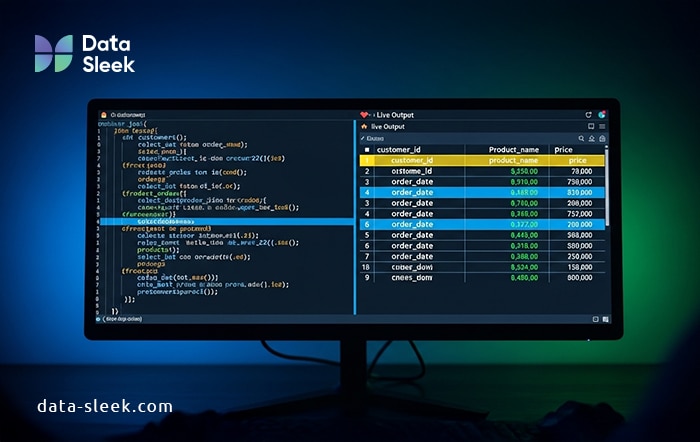
Instead of pushing commits and hoping they work, developers can test branches in isolation with production-like data. Fusion makes it easier to debug, review, and iterate without friction, which means fewer surprises during deployment and more reliable collaboration across distributed teams.
Streamlined Governance & Metadata Visibility
Governance in analytics often feels like an afterthought, but dbt Fusion builds it directly into your daily workflow. Every model and transformation is automatically documented with live lineage, so you can trace downstream impact before making changes. This visibility reduces blind spots and helps teams avoid breaking dashboards or pipelines.
Fusion also introduces role-based access controls that let you define who can edit, approve, or deploy specific assets. That structure limits accidental changes while supporting accountability across large teams. When something does shift, change tracking highlights exactly what was modified and by whom.
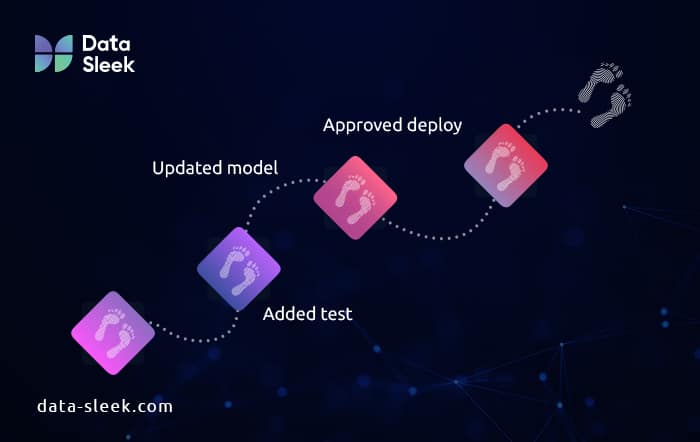
Audit trails are built in, not bolted on. From test results to deployment history, you get a clean, reviewable activity log. This simplifies compliance and makes internal reviews easier, even in highly regulated environments.
Easier Collaboration & Team Management
As teams scale, analytics projects can get messy fast. dbt Fusion helps keep collaboration structured without slowing things down. Developers can work in isolated staging environments that mirror production, making it safer to test changes without overwriting or conflicting with each other’s work.
The platform supports multiple contributor roles, clearly separating who can commit code, approve pull requests, or push to production. That clarity reduces friction and prevents last-minute surprises. Shared linting rules and project templates enforce consistency, so the whole team writes code the same way, even if they joined last week.
Centralized user management makes onboarding faster, too. You can assign permissions with a few clicks and keep projects secure from day one. The result is a cleaner, faster workflow that supports team growth without compromising trust or quality.
Real-World Use Cases for dbt Fusion
Global retailers, financial institutions, and healthcare providers are adopting dbt Fusion to manage scale, complexity, and compliance with greater efficiency. In environments where dozens of analysts work across departments, Fusion’s role-based access controls and staging environments reduce risk while enabling faster iteration.
Enterprise‑Scale Deployments
At large enterprises with hundreds of models and cross‑department analytics teams, precise control matters. For example, Hopper consolidated multiple data sources into a unified warehouse using dbt.
While that story predates Fusion, the same scale of model ownership and permission management is now purpose-built in Fusion’s role-based access control, helping avoid costly deployment mistakes across teams.
Multi‑Team Collaboration
Global SaaS businesses often require analysts and data engineers to work in parallel. Fusion’s staging environments and Git-native workflows allow teams to isolate and test models independently.

Similar coordination is what enabled companies like Stitch Fix and Asana to build consistent transformation pipelines with fewer conflicts and faster iteration cycles.
Governance in Regulated Industries
In compliance-heavy sectors such as finance or healthcare, auditability is essential. Fusion embeds audit trails, model lineage, and change logs directly into the workflow. This matches the governance practices enterprises often implement manually. Now Fusion automates it from within dbt.
For instance, LendInvest, a regulated UK mortgage lender, used dbt to enforce data quality, version control, and lineage tracking to meet financial compliance standards. Fusion takes this further by embedding governance into day-to-day analytics workflows.
Distributed Teams & Global Collaboration
Organizations with team members across time zones benefit from Fusion’s shared cloud IDE and unified environment. With centralized onboarding, linting rules, and consistent code review processes, teams gain immediate alignment from onboarding through production.
Pepperstone improved onboarding and reduced config issues by centralizing documentation and lineage in dbt Cloud. Fusion expands on this by unifying workflows and enforcing consistency across environments.
Comparing dbt Fusion vs. dbt Core
| Capability | dbt Core | dbt Fusion | Benefit to Teams |
|---|---|---|---|
| UI & IDE | CLI-first, local workflows only | Web-based IDE with live previews, metadata-aware development workflows | Faster ramp-up and reduced local setup burden |
| Hybrid IDE | Not available | Switch between CLI and web-based IDE seamlessly | Developer flexibility and team-wide alignment |
| Governance & Security | Manual setup for permissions & lineage | Built-in RBAC, audit logging with retention, SSO support | Stronger compliance and easier user management |
| Deployment & CI/CD | Requires external orchestration tools | Native scheduling, environment isolation, and change approvals | Fewer CI/CD failures and less tool sprawl |
| Scalability & Orchestration | Depends on self-managed infrastructure | Multi-team support with logging, orchestration, and mesh capabilities | Scales with growing teams and complex projects |
| Collaboration & Reviews | Git adoption is manual | Integrated PR workflows, staging environments, access-based roles | Easier code reviews and structured collaboration |
| Monitoring & Observability | Relies on third-party monitoring | Centralized job logs, alerting, and catalog-driven observability | Faster incident resolution and fewer blind spots |
| Auto Documentation | Manual docs (markdown, dbt docs) | Auto-generated asset documentation and lineage | Saves time, improves visibility for data consumers |
| Support & SLA | Community support | Enterprise SLAs, priority support, onboarding, and professional services | Reduced downtime and faster help when needed |
| Security & Compliance | Admin-managed security | SOC 2 compliance (Enterprise), SSO enforcement, RBAC audit trails | Meets enterprise IT requirements |
| Pricing Model | Free, open-source | Tiered commercial pricing with defined quotas on models and metrics | Scales with team size and usage |
Some advanced features are available only on dbt Cloud Enterprise plans.
Is dbt Fusion Worth It? ROI and Time Savings
For many teams, dbt Fusion delivers immediate, measurable value. The biggest wins? Faster analytics, cleaner deployments, and happier developers.
- Faster time-to-insight: Fusion’s integrated development environment, live previews, and centralized documentation streamline the analytics workflow. Developers spend less time context switching and more time building models that matter. For data teams supporting dozens of stakeholders, those time savings add up quickly.
- Fewer errors in production: Fusion’s built-in testing, code reviews, and version-controlled environments help catch issues before they hit production. With consistent pipelines and automated checks, teams reduce the chances of broken models or downstream data bugs.
- Reduced deployment failures: Staging environments and CI/CD integration make rollouts more predictable. Fusion isolates changes by developer, minimizing conflicts and giving reviewers more control. Even large teams can ship updates without constant firefighting.
- Happier, more aligned teams: Fusion simplifies collaboration across analysts, engineers, and data leaders. Role-based access, documentation visibility, and clear lineage improve transparency and reduce the overhead of explaining what changed or who owns what.
How to Get Started with dbt Fusion
Getting started with dbt Fusion is easier than you might think, especially if you’re already using dbt Core. You won’t need to rebuild your project from scratch.
Here’s how most teams begin:
- Import your existing dbt Core project. Fusion supports a direct migration path. Your models, tests, and documentation come with you.
- Set up role-based access and staging environments. This lets teams work independently without clashing in production.
- Connect your cloud data warehouse. Fusion integrates with platforms like Snowflake, BigQuery, and Redshift right out of the box.
- Enable version control and CI/CD. Git-backed workflows and testing pipelines help you maintain stability as your team grows.
The entire process is modular, so you can take it one step at a time. Most teams go live in a matter of days, not weeks. No guesswork. No massive rewrite. Just a faster, smarter path to modern data development.
Common Concerns About Switching (and How to Solve Them)
Is dbt Fusion expensive?
While dbt Core is free, Fusion is a paid product with enterprise-tier features. Pricing varies by usage and scale, dbt Labs offers transparent quotes during onboarding.
We already use dbt Cloud Classic – why switch?
Fusion modernizes workflows with integrated CI/CD, staging environments, and better governance – all without changing how your models are written.
Will migrating break my existing project?
No. You don’t have to start from scratch. dbt Fusion supports importing existing dbt Core projects, so your models, tests, and documentation remain intact. You can transition gradually and at your own pace.
Will Fusion lock me into dbt Cloud?
dbt Fusion builds on open dbt standards and Git. While it’s a commercial platform, your project remains portable—models, tests, and docs use the same dbt syntax as Core.
What about the learning curve?
If you’ve used dbt Core, you’re already familiar with the fundamentals. Fusion introduces a cleaner UI, centralized workflows, and helpful visual tools that simplify complexity without reinventing how you work.
My team is too small for this
Even small teams benefit from Fusion’s testing and preview tools. If you’re managing more than 10 models or more than 1 contributor, Fusion saves time.
Is it secure and compliant?
Yes. dbt Fusion is SOC 2 Type II certified and offers enterprise-grade security. Features like audit logging, SSO, and role-based access ensure your data operations meet strict compliance standards.
Conclusion: Why Now Is the Right Time to Switch
Switching to dbt Fusion unlocks faster insights, streamlined collaboration, and enterprise-ready governance. Teams benefit from fewer deployment issues, more reliable data pipelines, and a unified experience across development and production. The platform also supports existing dbt Core projects, reducing the friction of migration.
Delaying the move could slow down your data team’s ability to adapt, scale, and deliver value. With modern organizations increasingly relying on real-time insights, Fusion offers a future-proof foundation. The sooner you start, the sooner your team reaps the benefits of a truly integrated data workflow. Now is the time to modernize.
Ready to transform your data operations and unlock dbt Fusion’s full potential? Explore our data transformation consulting services today!