
dbt Fusion is a unified data transformation platform that brings together the power of dbt Core, dbt Cloud, and the dbt Semantic Layer. It’s designed to give modern data teams a single environment for building, managing, and scaling data models with consistency and speed.
Unlike dbt Core, which is primarily focused on SQL-based transformation, dbt Fusion introduces a modular, metadata-driven architecture that supports governance, collaboration, and real-time analytics.
By centralizing transformation logic and semantic definitions, it bridges the gap between data engineering and business intelligence. As organizations move toward more complex data stacks, dbt Fusion offers a streamlined approach that supports cloud-native workflows and enterprise needs without sacrificing flexibility or transparency.
How Does dbt Fusion Work?
dbt Fusion employs a metadata-first approach to data transformation, meaning that every model, test, and definition is versioned, tracked, and documented from the outset. This foundation enables teams to build trusted data pipelines with full control and visibility.
The platform is built around a modular design, separating the transformation logic, semantic layer, and orchestration workflows into distinct but connected components. This structure supports flexible scaling and easier maintenance across complex data environments. Teams with more complex orchestration needs may still rely on tools like Airflow or Prefect to coordinate broader workflows beyond what Fusion handles natively.
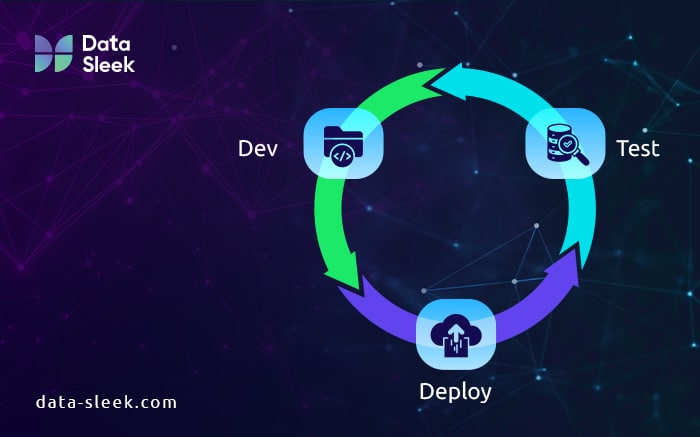
At the core of dbt Fusion architecture is a system that unifies data modeling, documentation, testing, and deployment. It integrates seamlessly with version control systems, CI/CD tools, and cloud data warehouses.
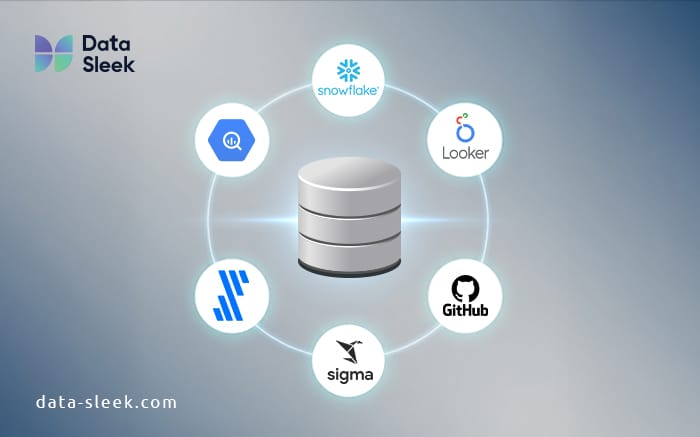
dbt Fusion also supports a wide range of integrations, allowing it to connect with platforms like Fivetran, Snowflake, Looker, and BigQuery. These integrations help automate workflows, enforce governance policies, and deliver faster insights across the modern data stack.
dbt Fusion Architecture Overview
The architecture of dbt Fusion is designed to support end-to-end data transformation with built-in governance and scalability. At the foundation, it uses a layered structure where the semantic layer, transformation logic, and orchestration components operate independently but remain tightly connected.
This modular setup enhances maintainability and allows teams to scale each part of the workflow based on project complexity.
Central to the architecture is metadata management, which powers automated data lineage tracking and dependency mapping. Every transformation step is version-controlled, allowing teams to trace changes and roll back when needed. dbt Fusion also incorporates rigorous testing at every stage of development, ensuring that data quality standards are met before deployment.
CI/CD integration is built into the platform, enabling teams to test, validate, and deploy models automatically with each code change. This allows for faster iteration cycles while maintaining consistency, accuracy, and transparency across the analytics engineering lifecycle.
Key Integrations in dbt Fusion
dbt Fusion is designed to work seamlessly across the modern data stack, offering native support for popular tools and cloud platforms. These integrations increase efficiency, simplify workflows, and allow teams to build scalable, governed pipelines without custom engineering.
dbt Fusion with Snowflake
Snowflake’s cloud-native architecture pairs well with dbt Fusion’s modular design. The integration enables direct deployment of dbt models to Snowflake, using its compute resources efficiently for transformation tasks. Teams benefit from real-time lineage tracking, automatic testing, and version control, all while staying within Snowflake’s environment.
dbt Fusion and BigQuery
BigQuery users can use dbt Fusion to manage transformation logic in a structured, testable, and collaborative way. The integration provides compatibility with Google Cloud workflows and supports dbt’s Git-based development approach, making it easy to build and deploy models at scale.
dbt Fusion with Fivetran
Fivetran handles automated data ingestion, and when paired with dbt Fusion, creates a complete ELT pipeline. Data lands in the warehouse through Fivetran, while dbt Fusion transforms and validates it before analytics teams consume the results.
dbt Fusion and Looker
dbt Fusion integrates directly with Looker by connecting its semantic layer to Looker’s modeling framework. This allows data teams to define metrics once in dbt and reuse them in Looker without duplication. It ensures that reports and dashboards follow the same logic used during transformation. The result is consistent, reliable analytics that reflect the most current definitions maintained in dbt.
dbt Fusion and Sigma
With Sigma, dbt Fusion links the semantic layer to a spreadsheet-style interface built for business users. This integration allows non-technical users to access governed models and explore data. Sigma respects the logic defined in dbt, which helps enforce data quality while expanding access to analytics. Teams can move faster without risking inconsistencies or bypassing data governance policies.
dbt Fusion Features You Should Know
dbt Fusion brings together powerful tools to help modern data teams build, manage, and scale data pipelines. Below are four core features that define its value.
- Visual modeling and semantic layer: dbt Fusion allows users to define metrics and dimensions using a visual interface. This reduces errors and makes transformation logic more accessible to teams beyond engineering. The semantic layer ensures consistent definitions across reporting tools, which supports trusted business insights and prevents duplication of logic.
- Git-native workflows: All changes in dbt Fusion are tracked through Git. Teams can branch, merge, and review code using familiar Git-based processes. This approach supports safer development, enables version control, and makes it easier to collaborate on large-scale data projects.
- Collaboration tools for data teams: dbt Fusion provides in-platform collaboration features such as comments, model sharing, and code reviews. These tools help teams stay aligned, document their work, and reduce miscommunication across departments.
- Compatibility with modern cloud platforms: The platform works seamlessly with leading cloud data warehouses, including Snowflake, BigQuery, Redshift, and others. This compatibility helps teams integrate dbt Fusion into existing workflows without additional engineering overhead.
dbt Fusion Use Cases for Modern Data Teams
dbt Fusion supports a wide range of use cases that help data teams move faster while maintaining governance, accuracy, and performance. Below are some key areas where it delivers strong value.
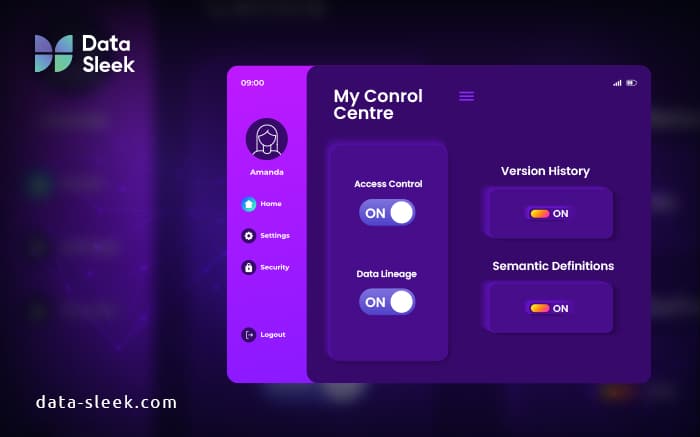
- Data governance: dbt Fusion supports data governance by enforcing standards across transformation and modeling layers. The semantic layer helps maintain consistent definitions, while Git-based workflows provide an auditable trail of every change. This structure supports role-based access, version control, and policy enforcement across large teams and complex pipelines.
- Self-service BI enablement: By aligning the semantic layer with tools like Looker and Sigma, dbt Fusion empowers business users to explore data without writing SQL. Analysts can trust that the metrics are accurate and aligned with source logic, reducing back-and-forth with engineering teams. This unlocks faster decision-making and more efficient collaboration.
- Real-time analytics and ELT pipelines: dbt Fusion supports real-time analytics by integrating with platforms like Snowflake and BigQuery. Teams can automate ELT pipelines using metadata-aware orchestration, ensuring that data is transformed, tested, and available for use as soon as it lands. This capability supports real-time analytics at scale using dbt Fusion.
- Enterprise-scale modeling: For complex environments, dbt Fusion provides the structure needed for scalable data modeling. Large teams can coordinate development across repositories, maintain consistent standards, and deploy analytics at scale. This makes dbt Fusion ideal for enterprise analytics across regulated or high-growth organizations.
dbt Fusion vs Other Tools
As data teams evolve beyond isolated analytics stacks, many find themselves stitching together multiple tools just to maintain trust, scale, and agility. dbt Fusion addresses these growing pains by combining modular development, governance, and semantic control in one platform. Here’s how it compares to other common tools.
dbt Fusion vs dbt Core
dbt Core is widely used for writing SQL transformations and building reproducible models, but it lacks native support for scheduling, testing pipelines, or semantic modeling. Teams must maintain separate CI/CD pipelines and rely on external tools like Airflow or GitHub Actions.
dbt Fusion extends this with built-in version control, semantic layers, and native orchestration. It reduces engineering overhead by letting teams manage development, testing, and deployment in one platform with governance baked in.
dbt Fusion vs dbt Cloud
dbt Cloud adds a visual interface and scheduler to Core but lacks the advanced modularity and scalability needed for enterprise-level workflows.
dbt Fusion supports workspace partitioning, federated modeling, and deeper Git integration. These features give large teams better control over lineage, testing, and collaboration across domains.
dbt Fusion vs LookML
LookML’s semantic layer is limited to Looker. dbt Fusion decouples business logic from the BI layer, letting teams define metrics once and use them across tools like Sigma, Hex, or Mode. This promotes metric consistency without locking teams into a single visualization stack.
dbt Fusion vs Traditional ETL Tools
Legacy ETL tools often rely on black-box pipelines. dbt Fusion offers modular, SQL-based transformations with lineage visibility, Git tracking, and test coverage. This approach simplifies debugging, supports version control, and scales better across agile data teams.
Benefits of dbt Fusion for Large Organizations
In enterprise environments, data teams face competing pressures: enforce compliance, move quickly, and deliver trusted insights across departments. dbt Fusion addresses these needs with features built for scale, oversight, and collaboration.
Enterprise Compliance and Security
dbt Fusion supports security frameworks like SOC 2 and HIPAA by providing encrypted deployments, workspace isolation, and detailed access controls. All jobs and model changes are logged with time stamps and user information, enabling forensic-level traceability.
This level of transparency supports both internal audits and external compliance reviews. dbt Fusion embeds data security into every layer of the platform, rather than treating it as an optional add-on.
Role-Based Access and Audit Trails
Admins can define access at the environment, project, or model level. For example, an analytics engineer might have to write access to staging models but read-only access to production pipelines. This separation limits risk without slowing development. Full audit logs capture every change, showing who deployed what, when, and where.
Built-In Governance Workflows
dbt Fusion’s semantic layer allows data definitions to live alongside transformation code, eliminating the disconnect between modeling and consumption. Tests, documentation, and reviews happen in the same interface, helping teams maintain standards without extra tooling or manual QA steps.
Should You Use dbt Fusion?
dbt Fusion is ideal for teams that have outgrown the limitations of dbt Core or are juggling too many disconnected tools. If you’re struggling with inconsistent metrics, lack a shared semantic layer, or spend excessive time maintaining CI/CD and orchestration pipelines, Fusion offers a more unified approach.

Signs that it’s time to consider dbt Fusion:
- Your team uses Git for transformations but relies on separate tools for testing and deployment
- You manage complex workflows across multiple domains or environments
- There’s no standard way to define and reuse business metrics
- Collaboration across analytics, engineering, and business teams is inconsistent
In these situations, Fusion helps reduce friction by centralizing modeling, governance, and observability in one platform.
However, consider these tradeoffs:
- Smaller teams may find Fusion’s learning curve steep if they only work with raw SQL
- Fusion is a commercial product, so licensing costs may be a factor
- Some teams may need time to adopt the semantic layer and modular workflows
Fusion adds the most value when your data strategy includes governed self-service analytics, consistent metrics across tools, and scalable, testable pipelines, without the overhead of stitching tools together manually.
dbt Fusion Pricing & Pros/Cons
How Much Does dbt Fusion Cost?
dbt Fusion follows a tiered pricing model, although detailed public pricing is limited. Organizations typically engage with dbt Labs for customized enterprise plans, which are based on the number of developer seats, data volume, and required support.
While dbt Core remains open-source and free, Fusion introduces costs for the added features like semantic modeling, versioned deployments, and cross-platform integrations. Fusion follows a customized pricing model based on team size, data volume, and support needs. dbt Labs provides tailored enterprise plans. While dbt Core remains free, Fusion introduces commercial licensing for features like semantic modeling and native integrations.
Pros and Cons of dbt Fusion
Pros:
- Scalability: Built to support growing data teams with modular architecture and CI/CD pipelines.
- User Interface: Clean, Git-native UI that helps teams manage models and deployments efficiently.
- Integrations: Native compatibility with tools like Snowflake, BigQuery, Fivetran, Looker, and Sigma.
- Collaboration: Semantic Layer and version control support team-based workflows and metric consistency.
Cons:
- Learning Curve: New users may require time to adapt to Fusion’s broader set of tools.
- Cost: Higher pricing compared to using dbt Core alone, especially for smaller teams.
- Feature Depth: Some advanced features may feel overbuilt for lean startups or simpler use cases.
Final Thoughts
dbt Fusion represents a major shift in how data teams model, govern, and collaborate across modern analytics stacks. It brings together visual development, semantic consistency, and Git-native workflows into one scalable platform. Unlike traditional ETL or siloed tools, dbt Fusion integrates directly with leading cloud data platforms and supports enterprise compliance needs without sacrificing agility.
Whether you’re scaling data operations or enabling self-service analytics, Fusion helps unify teams around trusted metrics – turning data chaos into coordinated insight delivery. To fully understand how Fusion fits into your organization’s data strategy, consider scheduling a session with a dbt expert who can walk you through real-world applications.
FAQ
Is dbt Fusion replacing dbt Core?
No. dbt Core remains open-source and free to use. dbt Fusion builds on dbt Core by adding enterprise features like centralized governance, semantic modeling, and built-in orchestration. It’s designed for teams that need more control, collaboration, and scalability, not a replacement, but an upgrade path.
Can small teams benefit from dbt Fusion?
Yes, especially if they’ve outgrown manual workflows or are managing multiple environments. While Fusion is tailored for enterprises, its built-in CI/CD, semantic layer, and centralized modeling can help small teams work faster and stay organized. Pricing and complexity may be the only limiting factors.
What integrations does dbt Fusion support?
dbt Fusion integrates with major tools across the modern data stack, including Snowflake, BigQuery, Redshift, Looker, Fivetran, and GitHub. It also works with CI/CD systems and orchestration tools like Airflow or Prefect, so teams can automate more of their analytics workflow end-to-end.
Does dbt Fusion work without a data engineering team?
Yes, but it depends on your stack and goals. Fusion is designed for analytics engineers and technically fluent data teams. If you’re a small team with limited engineering resources, you can still benefit, especially if your models and transformations are already managed through dbt Core.